
Telemetry & replay analysis01
IBT Replay Viewer
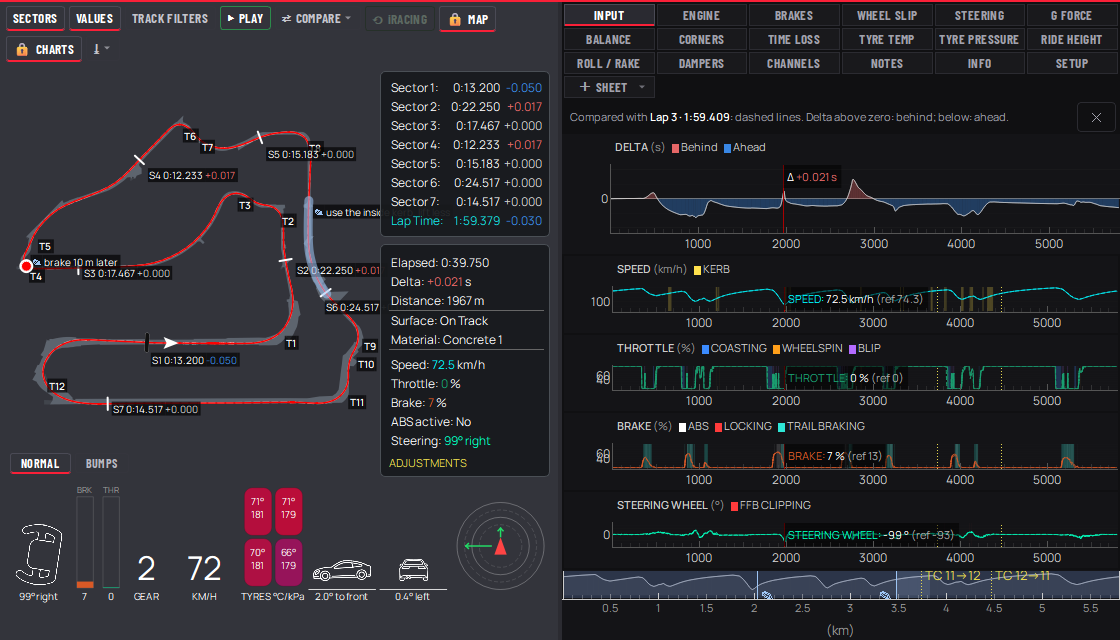
Connect telemetry with the replay. Compare laps and see exactly where your driving changes.
Explore productMotorsport software. Built with purpose.
For teams, drivers & engineers.
Understand the lap. Read the race. Make your next decision count. Purpose-built tools for iRacing and a closer look at real-world Formula 1.
Connect telemetry with the replay. Compare laps and see exactly where your driving changes.Telemetry & replay analysis
01 / 04The software collection
From a single braking point to an entire race. Find the software that fits the way you work.
Connect telemetry with the replay. Compare laps and see exactly where your driving changes.
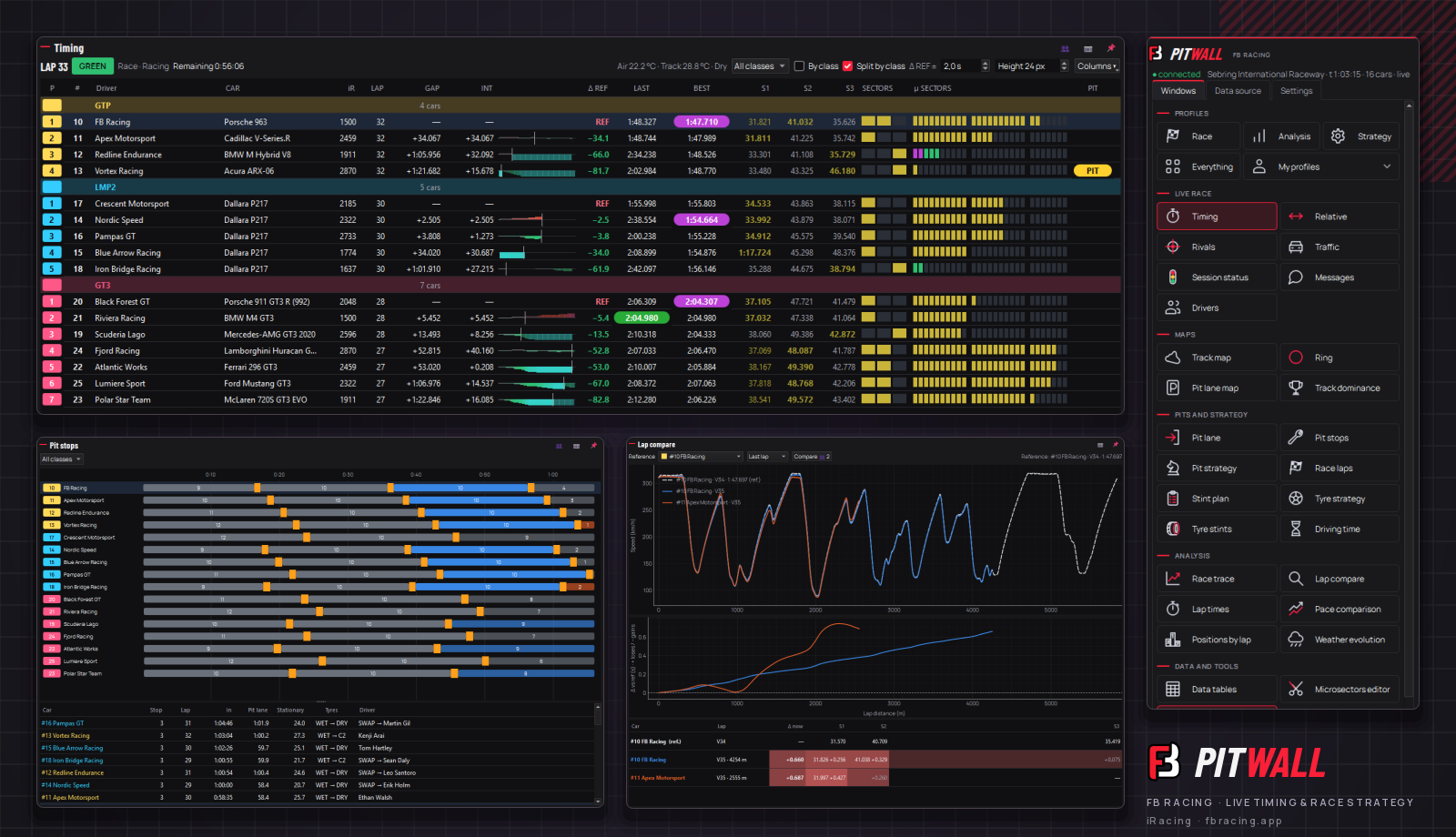
Explore productLive timing, race context and pit strategy. Give your team a clearer view of what comes next.
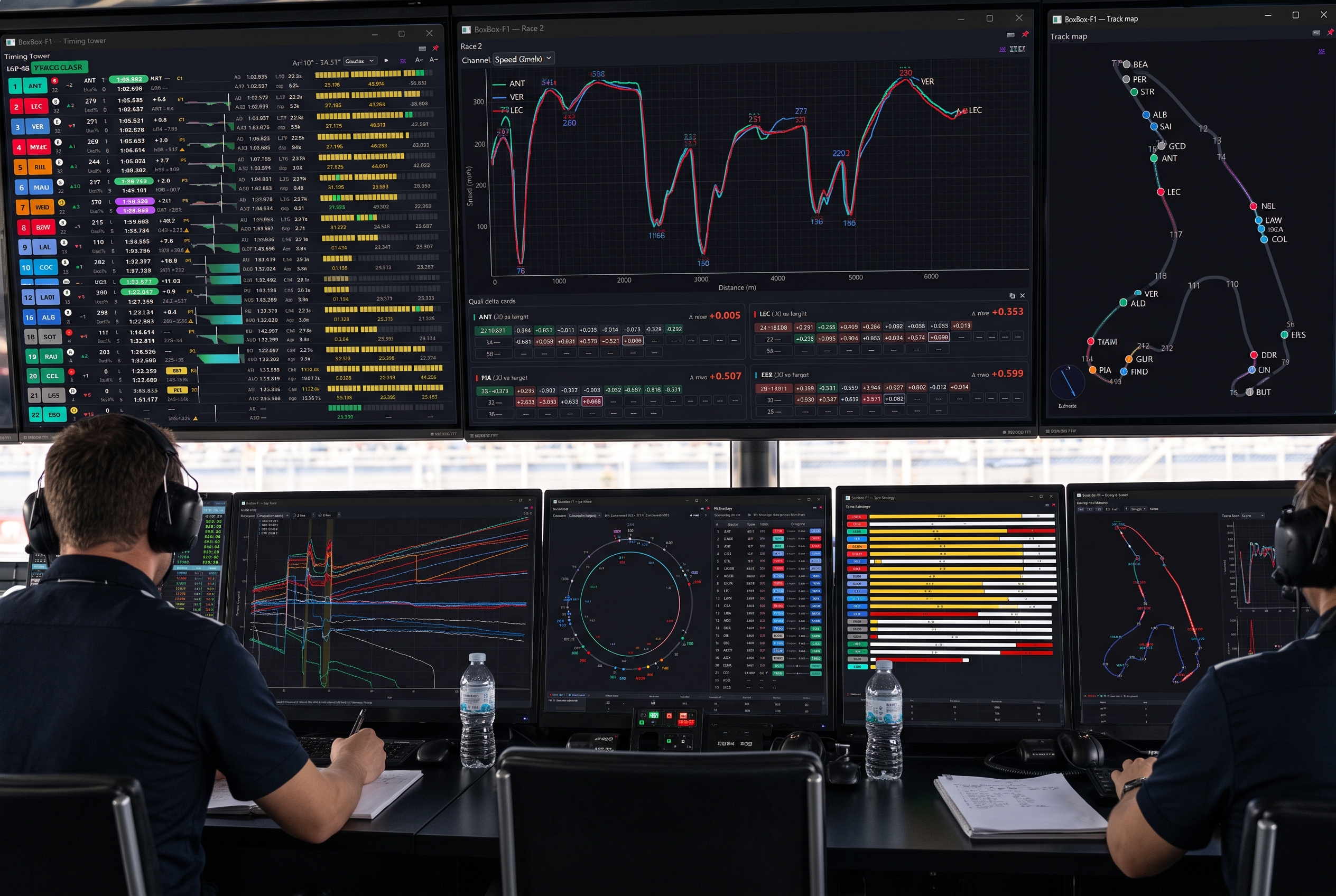
Explore productGet closer to real Formula 1 with live timing, telemetry, strategy and historical session replays.
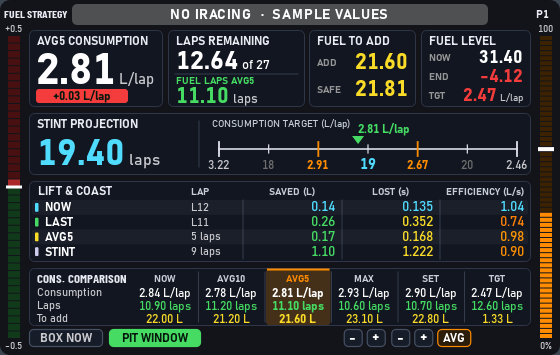
Explore productShape your iRacing view with fuel strategy, live timing, car settings and wheel-screen boards, track and pit-lane maps, flags and wind overlays. Follow your stint and the race around you.
Explore productFB Ecosystem · Built around your team
The driver feels the car. The engineer reads the data. The team makes the call. FB Ecosystem connects live race support with in-depth lap analysis, giving each person the right view of your iRacing performance.
Your team's workspace
Individual entry
Shared car · Driver changes
Illustration: Driver 1 races Car 1; Driver 2 races Car 2, with Driver 3 ready for the next stint. Live data travels to the team; pit commands return through the active driver's own control ID. Recorded .ibt files are analysed separately.
01 / During the race
Each active driver's FB Calc sends selected live data to FB Racing. Open each driver's shared feed in Account, or follow it in FB iRPitwall. With that driver's control ID, you can set supported pit options for that car: fuel, tyre service and more. FB Calc applies the command in iRacing and reports the result.
02 / Across the stints
An endurance car can have several drivers, each running FB Calc with their own licence. Prepare their shared IDs in Pitwall or Account. At a driver change, select the incoming driver's feed and use their control ID for pit commands: access belongs to the driver, not permanently to the car.
03 / After each run
With telemetry recording enabled, iRacing saves local .ibt files. Open the drivers' recordings in IBT Replay Viewer to compare laps on the same track, inspect inputs and see where time is gained or lost. Synchronize the data with the matching session replay open in iRacing.
Bring the driver's live data to the people making fuel, pit and strategy decisions.
Build a Pitwall workspace around the drivers and cars whose IDs you choose to follow.
Prepare each driver's shared feed and keep the engineer involved across endurance stints.
Use viewing IDs for observation and separate control IDs for supported remote actions.
Follow from Account in a browser, detach Fuel and Lift & Coast dashboards, or configure your desktop Pitwall views.
Use recorded laps, comparisons and replay synchronization to turn a debrief into a clear improvement plan.
Tools
Focused utilities for the tasks around your analysis. Start with FB iRacing IBT to prepare your iRacing recordings for MoTeC i2.
Who we build for
A race looks different from the pit wall, the cockpit and the engineering desk. Find the tools that help you answer the questions that matter to your role.
Keep the whole race in view.
Turn timing, position and stint data into context for your next call. Follow the session as it unfolds, then review what happened.
Follow overall and class positions, gaps and traffic in FB iRPitwall.
Explore pit windows and rejoin estimates alongside observed stops and stints.
Revisit recorded laps in IBT Replay Viewer to compare pace and driver inputs.
Explore your workflowiRacing
FB iRPitwallLive timing, traffic and strategy estimates IBT Replay ViewerRecorded laps, telemetry and comparisonsFind the time you can recover.
Start with what you felt in the car. Use your recorded iRacing telemetry to see where a lap changed and choose what to work on next.
Compare laps on the same track with a shared cursor, map and time delta.
Inspect pedal inputs, speed and corner detail against a reference lap.
Use sector and time-loss analysis to identify the corners worth another run.
Make the data explain the lap.
Move from an overview to individual channels, setup changes and custom calculations. Build an analysis workflow around the data your iRacing session recorded.
Inspect telemetry channels, build custom worksheets and add formulas in IBT Replay Viewer.
Compare recorded laps and available setup values to put a change in context.
Convert completed .ibt recordings to .ld/.ldx with FB iRacing IBT for analysis in MoTeC i2.
Explore your workflowiRacing
IBT Replay ViewerRecorded laps, telemetry and comparisons FB iRacing IBTiRacing recordings for your MoTeC i2 workflowThe FB Racing approach
Racing happens in the details: a brake release, a changing gap, a pit window. We build focused software to make those details easier to see, understand and use.
From simulator sessions to real-world race analysis.
FB RACING
Explore the tools, find your workflow and get more from every lap.
